

46 changes
Share templates in a public gallery, a CRM that knows your customers, and interactive AI answers
Save boards, docs and canvases as templates and publish them for anyone to start from. The CRM now shows each customer's tickets, meetings and billing, with your own pipeline stages. And the assistant's answers can be filtered and sorted right in the chat.
- 15 new
- 15 improved
- 16 fixed
On this page11 sections
Highlights
01Templates
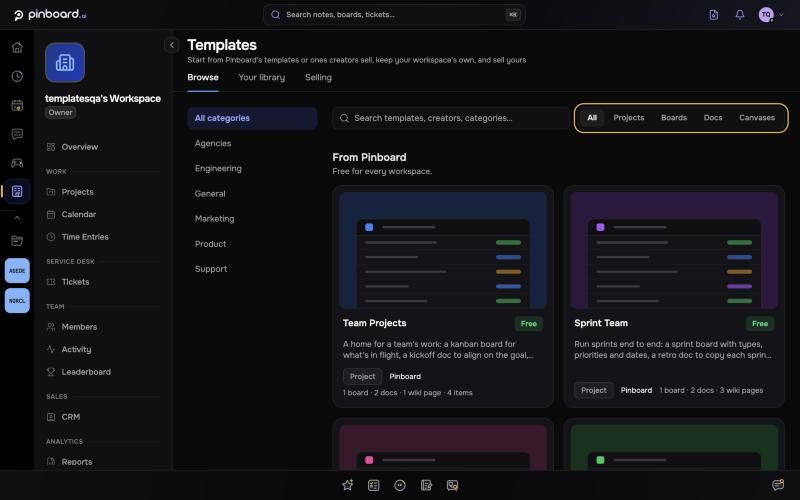
Templates for boards, docs and canvases
Save a board, doc or canvas as a template, then start new work from it, or from Pinboard's own, in the new Templates hub.
Workspace sidebar → TemplatesUse the type filter to show projects, boards, docs or canvases; Your library holds your workspace's own.
02Templates
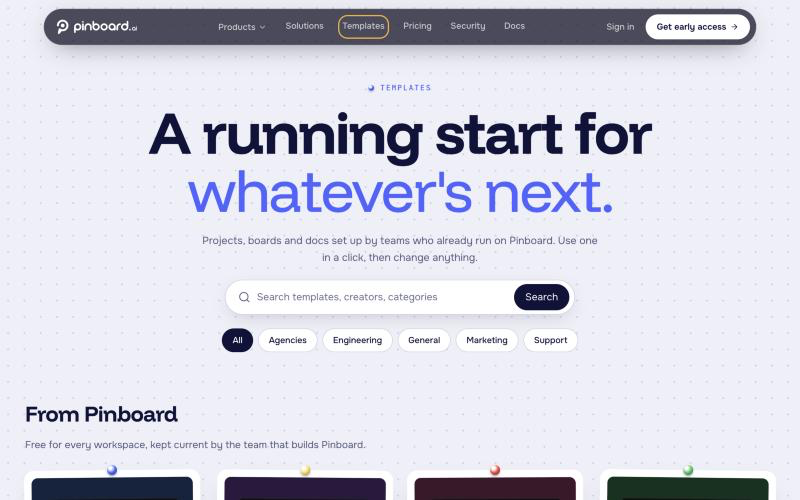
A public template gallery
Anyone can browse templates on pinboard.ai and start from one, and you can publish your own with a listing page and storefront.
pinboard.ai → TemplatesPublish from Templates → Selling in your workspace; each listing is reviewed before it appears.
03Reliability
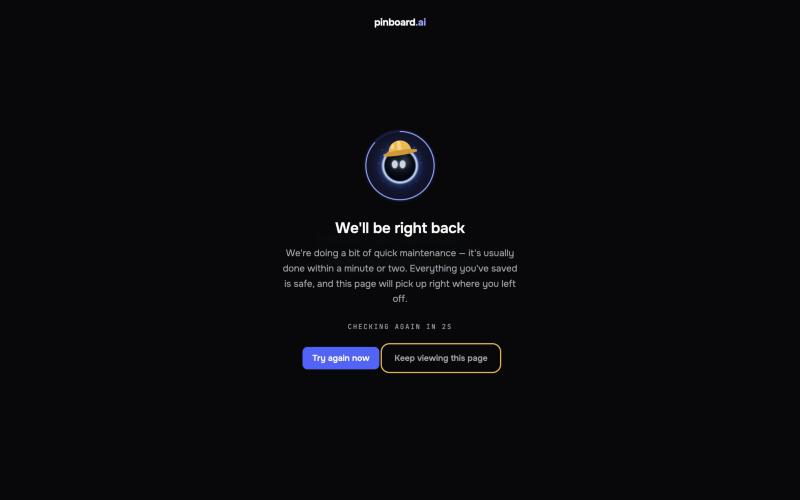
We'll be right back
If Pinboard can't reach its servers, a calm screen keeps checking for you and refreshes your page the moment it's back.
Appears on its own during maintenanceChoose Keep viewing this page to read what's on screen while it reconnects, or Try again now to check straight away.
Every change
Templates
7- NewSave a board, doc or canvas as a template and start new work from it.
- NewA Templates hub in the app gathers your workspace's templates alongside Pinboard's own.
- NewPublish a template to the public gallery, with its own listing page and a storefront for your workspace.
- NewAnyone can start from a gallery template, and it's kept for them if they sign up first.
- NewPublished templates show a "Made with Pinboard" credit and how many people have viewed them.
- ImprovedTemplates now bring their pictures with them, from docs, wiki pages, canvases and sketches.
- ImprovedSetting up a new workspace starts from a real project template instead of a blank starter sheet.
CRM
9- NewSet up your own pipeline stages: add, rename, recolour, reorder and weight them from Sales settings.
- NewAccount and contact pages show that customer's tickets and meetings from across the project.
- NewContracts name their customer, the account page totals what they've been billed, and new invoices start out billed to that customer.
- NewCRM customers appear in contact pickers across the project, marked as customers.
- NewThe overview shows your win rate, and contacts, leads and deals can be exported to a spreadsheet.
- ImprovedNew CRMs start with an empty product catalog instead of sample products.
- FixedAdding an account with a name that's already taken is refused instead of quietly merging the two.
- FixedSpreadsheet exports can no longer carry formulas that run when the file is opened.
- FixedPeople without CRM access no longer see or change CRM account details from the project's organizations list.
AI assistant
7- NewAnswers can be interactive: filter and sort the tables and lists the assistant gives you, right in the chat.
- NewThe assistant can read files you've uploaded and answer questions about them.
- NewOn boards, the assistant can work as a project manager: it reads the board, plans sprints, and works with attachments and linked canvases.
- ImprovedAnswers are more accurate across every app, especially questions about wiki pages.
- ImprovedAsk the assistant to take you somewhere and it can open any page, and an expert's answer is never lost.
- ImprovedThe CRM expert can see a customer's tickets and meetings.
- FixedThe assistant's edits to notes never overwrite work you've already saved.
Search
3- NewSearch finds CRM accounts, contacts, leads and deals.
- FixedOpening a search result no longer bounces you back to where you were.
- FixedA ticket only shows up in search for people who could see it in the Service Desk.
Privacy and security
8- ImprovedDeleting your account erases what was private to you, and the confirmation says exactly what happens.
- ImprovedDeleting an AI conversation or a project also removes its AI history.
- ImprovedThe details kept to diagnose AI problems are cleared after 90 days, as the privacy policy says.
- ImprovedThe AI privacy section now says exactly what is sent to AI providers.
- ImprovedPersonal API tokens can be given time-tracking and search access when you create them.
- FixedA read-only project role can't make changes anywhere, and webhook subscriptions are for project admins only.
- FixedGuests can only change the parts of a project their guest access allows: Sheets, meetings, automations and integrations stay view-only for them unless an admin opens that area to guests.
- FixedProject, workspace and limited API tokens no longer act with their owner's full access through the assistant.
Sign-in
2- FixedSwitching between your accounts no longer asks for your two-factor code again.
- FixedThe account switcher no longer lists the same account twice.
Reliability
3- NewIf Pinboard can't reach its servers, a "We'll be right back" screen keeps checking and refreshes your page as soon as it's back.
- ImprovedYour upcoming and overdue lists load much faster.
- FixedSheets with summary columns over a mix of dates and times load again.
Boards and canvas
3- ImprovedLines and arrows on a canvas select like connectors: drag their ends to move them, with no selection box.
- FixedSub-item guide lines on boards join into one continuous line.
- FixedTeammates' pictures in the board header no longer show as broken images.
Service Desk and chat
2- ImprovedStaff are notified about every new ticket.
- FixedThe conversation you have open stays open when the window narrows to the phone layout.
Arcade
2- ImprovedMosaic hints point you to a tile instead of filling it in, and every puzzle can be solved by reasoning alone.
- FixedSkirmole private rooms show who's invited, and you can add and remove bots.