

40 changes
Pinlets the AI builds and changes, HTML files that open as pages, and files in collections
Ask Pinboard AI for a chart, a one-pager or a small interactive tool and it builds a Pinlet in Content that it can keep changing. Uploaded HTML files now open as pages too, and collections can hold files.
- 23 new
- 13 improved
- 4 fixed
On this page9 sections
Highlights
01Pinboard AI
Pinlets: small apps the AI builds, and changes when you ask
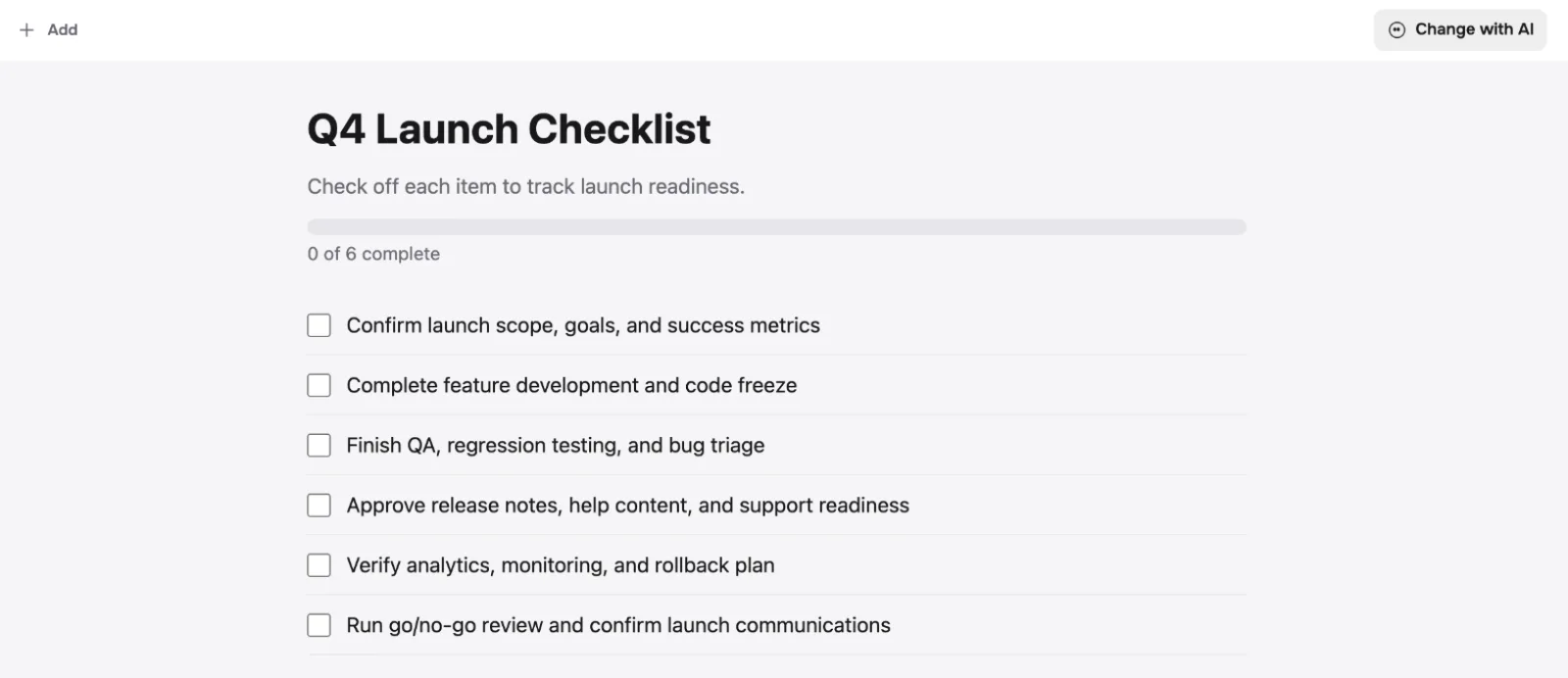
Ask the AI for a chart, a one-pager, an explainer or a small checklist and it builds a Pinlet in Content. Open it and ask for a change, like greener bars or a totals line, and the Pinlet updates in place.
Content → open a PinletChoose Change with AI at the top right and describe what you want different.
02Calendar
One right-hand panel on the calendar
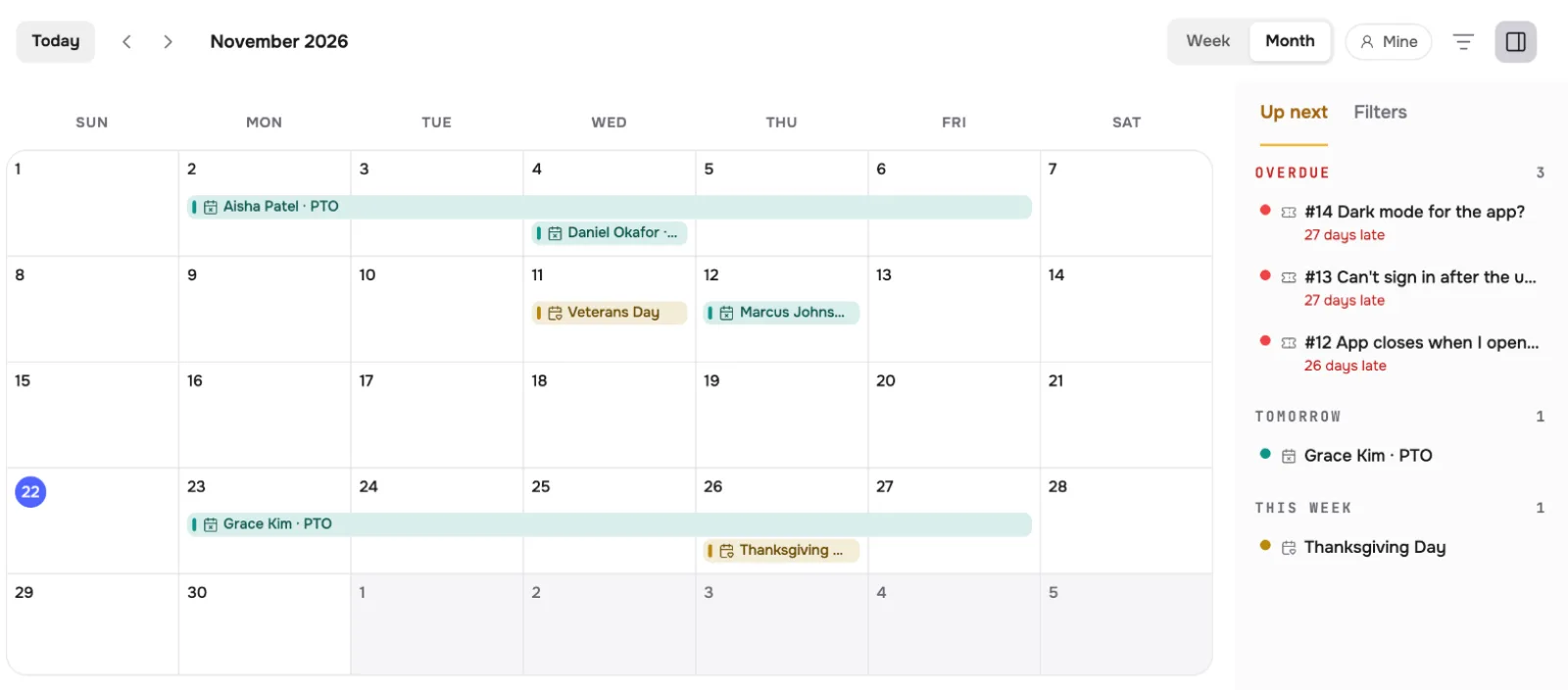
Up next and the filters now share a single panel beside the calendar, so you can see what is coming and narrow what the calendar shows without leaving the page.
Calendar → panel on the rightSwitch between the Up next and Filters tabs at the top of the panel.
03Content
HTML files open as pages
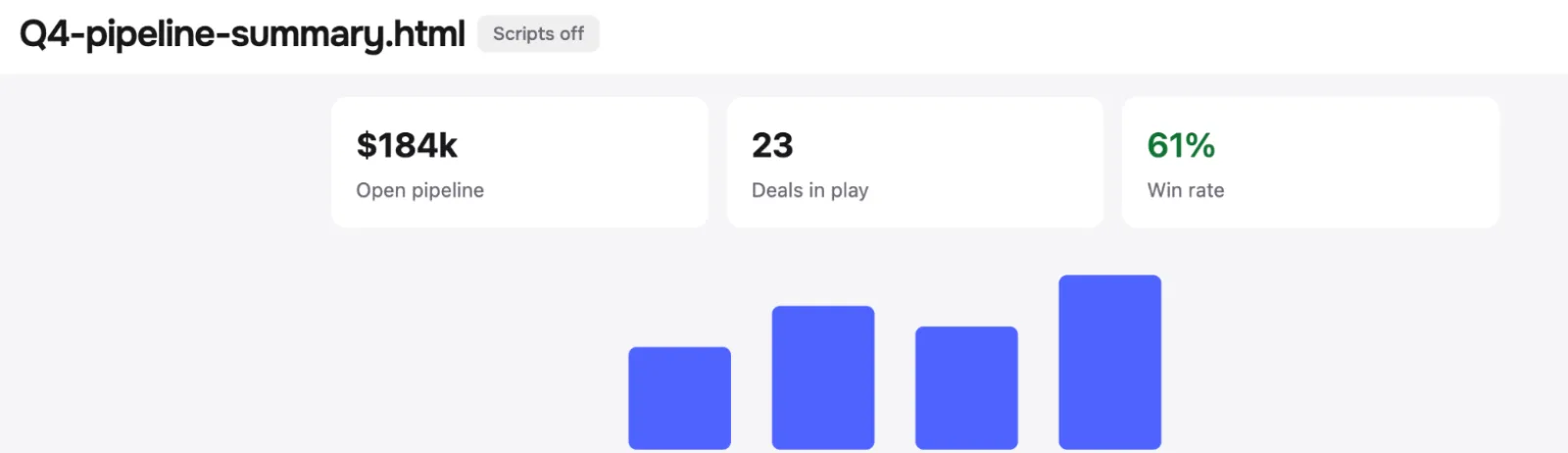
Click an uploaded .html file in Content and it opens as a page with its own link. Scripts in uploaded files never run.
Content → click an .html fileThe file opens as a page, and a Scripts off label beside its name confirms nothing in it runs.
Every change
Pinboard AI
6- NewThe AI can build a Pinlet (a chart, one-pager, explainer, tracker or other small interactive tool) and save it in Content.
- NewOpen a Pinlet and ask the AI to change it; it edits that Pinlet in place, and each change is a version you can go back to.
- NewLinks in a Pinlet ask before opening a website outside Pinboard.
- NewUndo from here: on an earlier reply, undo that reply's changes and every later reply's in one go. It tells you how many replies first, and your messages stay in the chat.
- ImprovedOpening AI shows your threads first, with four buttons at the bottom: Chats, Usage, AI settings and New.
- NewArchived threads have their own list: switch between Active and Archived under the thread search.
AI plans and credits
14- NewAI is now part of the Business plan: nothing to turn on, and no AI line on the bill.
- ImprovedOn Team, AI is $6 per person per month, down from $12.
- NewA workspace without AI gets 100 AI credits once, so you can try AI in chat on your own boards before buying it.
- ImprovedAI usage is counted in credits, never dollars. A quick question uses about 2 to 5 credits on the default model; stronger models use more.
- NewPinboard AI now offers a choice of models. Stronger ones use more credits per reply, and each one says about how many.
- NewAgents can run on Pinboard AI models too, paid from the same credits.
- NewIn a workspace without its own AI key, agents run on Pinboard AI.
- ImprovedMy AI no longer has a monthly cap for your own AI keys: your provider bills you for those, so set any limit with them.
- NewAdmins can cap the credits one agent uses in a month, so an agent a rule starts can't use up the pool.
- NewEvery reply and every agent run shows the credits it used.
- NewThe Usage view shows where the month's credits went: chat, each agent and automations. People who can read billing see it.
- ImprovedA reply or run that fails on our side uses no credits.
- ImprovedThe AI your plan includes never shrinks during a term you've paid for. If we ever reduce it, the change starts at your next renewal, and we email you at least 30 days before.
- ImprovedThe Terms of Service now say this too, in a new section 9.11. Nobody has to accept the Terms again.
Content
3- NewYou can upload HTML files, and clicking one opens it as a page with its own link.
- ImprovedScripts in an uploaded HTML file never run, so a file from anyone in the project can't act in your account.
- NewHTML files attached to a board item, a sheet row or a ticket open as a page in a viewer.
Collections
2- NewAdd any uploaded file to a collection with Add to collection… in the file's menu.
- NewPinlets can be collection tabs, like any other note.
AI in workspaces without their own key
2- ImprovedIn a workspace without its own AI key, AI now runs on Pinboard AI credits everywhere in the app, including work that happens in the background.
- NewConnecting, replacing or removing a workspace's own AI key emails the workspace's owners and admins, so nobody changes it unseen.
Calendar
3- ImprovedThe calendar has one panel on the right, with Up next and Filters, instead of separate side panels.
- ImprovedEvents in the month view fit their day better, so chips are no longer cut off.
- FixedA sheet's calendar view now shows a date-only value on the right day instead of the day before or after.
Automations
1- FixedThe If step in Automations is more predictable: Otherwise runs only when nothing matched, dates are compared by day in the rule's time zone, and a blank value never matches.
Agent rewards
9- New39 more accessories for your agents: everyday items such as glasses, headphones and a bow tie, plus items for Thanksgiving week, Hanukkah, Kwanzaa, the winter holidays and New Year.
- NewFive sports sets (soccer, baseball, football, hockey and basketball), each earned as a whole set during its season.
- NewEmotes: eight short expressions, such as a wink or a giggle, that an agent plays by itself now and then while it is idle.
- NewPose styles: four new looks to earn for when an agent finishes work or while it works, such as a burst of confetti or cogs for eyes.
- ImprovedThe Rewards tab is one grid of everything you can earn: what's ready is highlighted, what's locked is grayed out, and the tab shows how many are ready.
- NewUnlocking a reward plays a short animation, and Unlock all takes everything that's ready at once.
- ImprovedChoosing what an agent wears is a grid showing your agent in each item, and you can preview an emote before you select it.
- FixedThe notification for a holiday reward now opens the Rewards tab.
- FixedOn a phone, an agent's name is no longer cut off by the buttons beside it.