

25 changes
A new project sidebar, pen and line tools, and arcade leaderboards
Projects open with a row of colored app icons, canvases gain a pen and a line tool whose ends stay attached to shapes, and every arcade game now keeps a real score.
- 10 new
- 14 improved
- 1 fixed
On this page5 sections
Highlights
01Projects
Every project app, one tap away
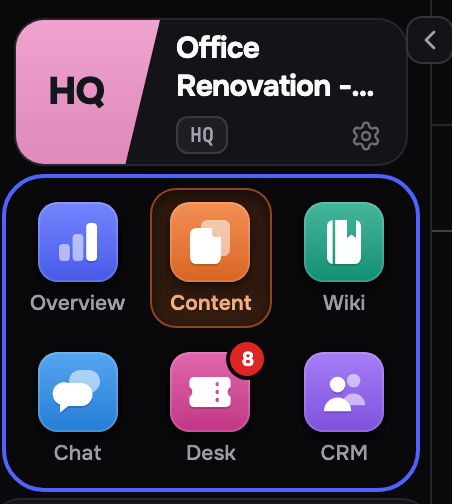
A project's apps now sit as named, colored icons at the top of its sidebar, and the app you're in is the one that's lit.
Any project → sidebarPick an app icon under the project banner; settings moved to the gear beside the project code.
02Canvas
Draw with a pen and a line tool
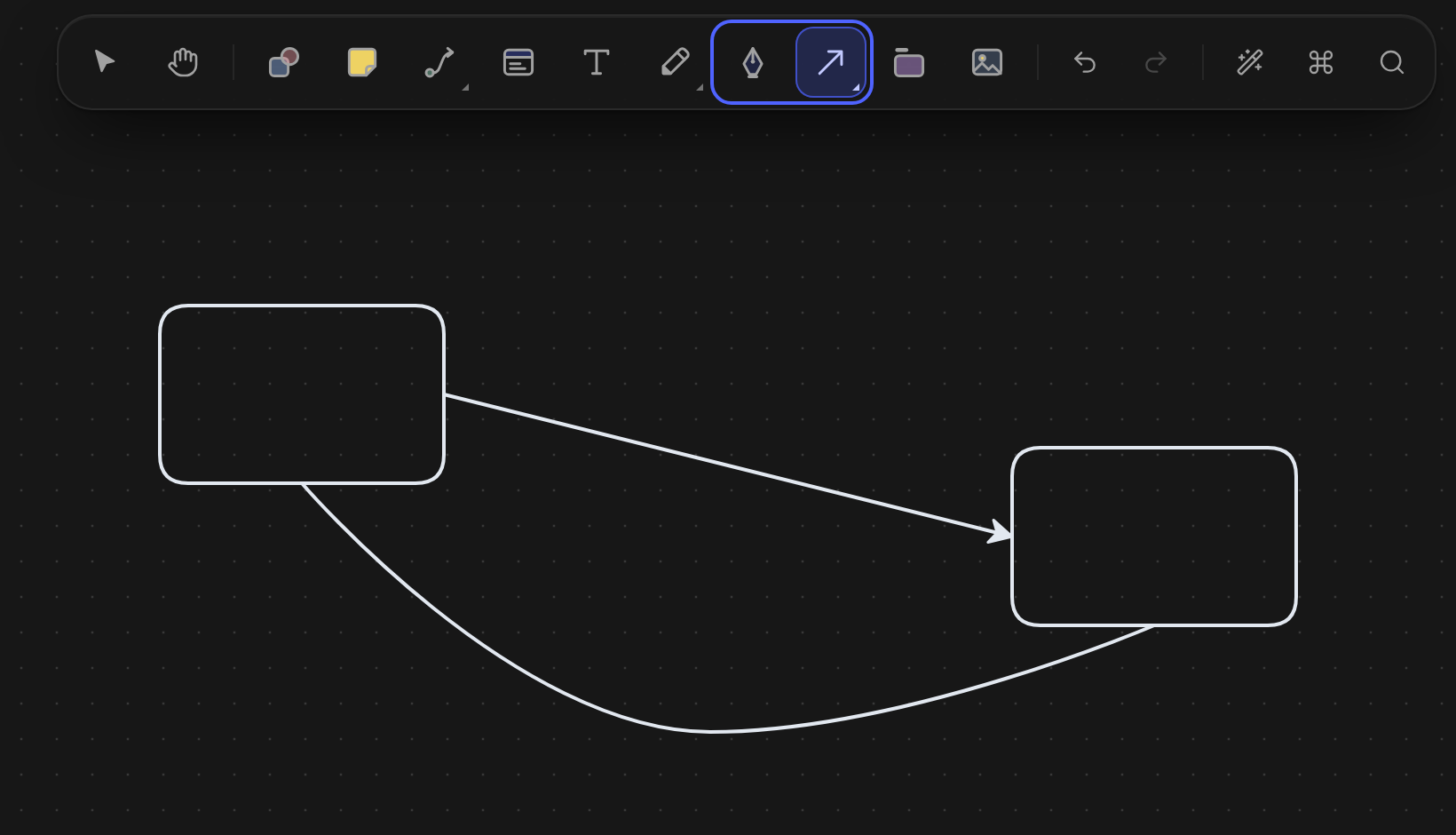
Draw straight lines, arrows and curves on a canvas; line ends snap onto shapes and stay attached when you move them.
Content → any canvas → toolbarPress L for a line or arrow, P for the pen; double-click a line or shape to edit its points.
03Arcade
A scoreboard for every game
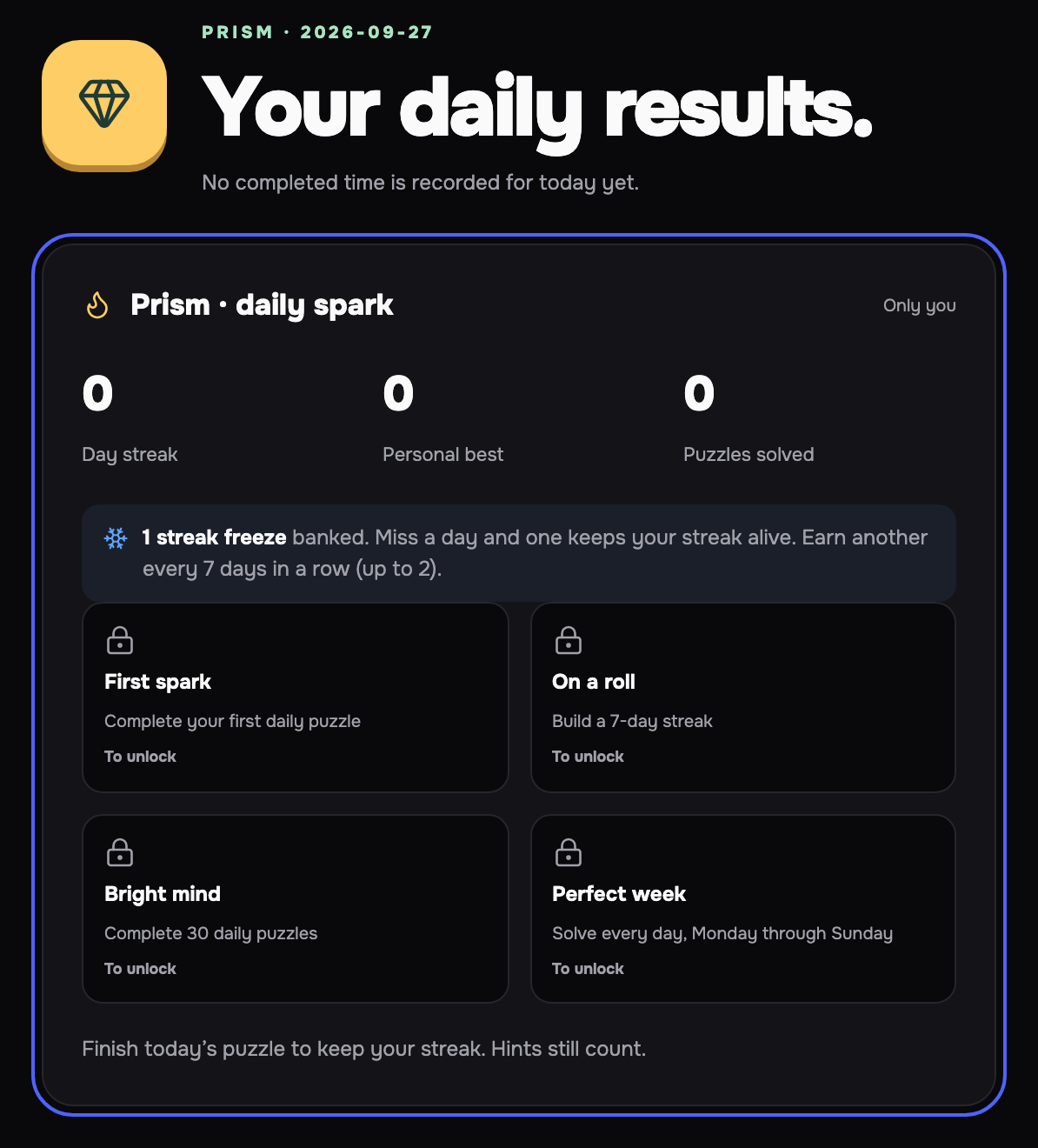
Every daily puzzle now keeps your streak, best time and trophies and ranks your time in your workspace, and a streak freeze covers a missed day.
Arcade → any daily puzzle → See your scoreFinish a puzzle and choose See your score; your streak freezes show under your streak.
Every change
Projects
5- NewA project's apps sit as named, colored icons at the top of its sidebar, and the app you're in stays lit.
- ImprovedThe project header shows the project's picture, or its color and initials, with the full name on up to two lines.
- ImprovedProject settings open from a gear in the project header.
- ImprovedCounts on app icons are red only when something needs you, such as overdue items or open tickets.
- ImprovedWidening the sidebar fits more app icons on each row instead of stretching them.
Canvas
6- NewA pen tool for drawing your own shapes and curves.
- NewA line tool that draws straight lines and arrows.
- NewDouble-click a drawn line or a basic shape to move, add or remove its points.
- NewLine ends snap onto shapes and stay attached when the shape moves or resizes.
- ImprovedDrawn lines can have an arrowhead at either end.
- ImprovedThe toolbar shows every tool as a simple, matching icon.
Timesheets
1- ImprovedThe timesheet title bar is a single compact row, leaving more room for your week.
Arcade
13- NewEvery daily puzzle now has a scoreboard with your time, your streak, trophies and a workspace leaderboard.
- NewStreak freezes: miss a day and a freeze keeps your streak going, with one earned for every seven days in a row, up to two.
- NewNight Run keeps your best score across devices and shows the workspace's top ten.
- NewSkirmole keeps your wins, losses and knockouts, with a workspace leaderboard for online matches.
- NewFinishing a puzzle shows a congratulations card over your solved board, so you can admire it before seeing your score.
- ImprovedHard and Expert days use bigger boards in Prism, Circuit, Mosaic and Cargo, longer codes in Vault and more visitors in Alibi.
- ImprovedHarder levels are genuinely harder: in Prism the two beams now share a mirror, so you have to solve them together.
- ImprovedMosaic lets you drag along a row or column to fill or clear many tiles at once.
- ImprovedEvery puzzle fits on one phone screen, and the arcade shows games as a compact list on phones.
- ImprovedEach game's page now explains how to play before you start.
- ImprovedPrism's beams can be told apart without color: blue is solid with dots, gold is dashed with diamonds.
- ImprovedDaily times are shared with your workspace by default, and you can turn that off anytime.
- FixedCargo no longer leaves a highlight on the last square you tapped, and its walls are easier to see.