

5 changes
Pick your workspace when you join, and the arcade is back
New members choose between joining their team and setting up their own workspace right after saving a profile. The Circuit and Vault pages load again, and API keys refuse governance scopes at creation.
- 1 new
- 1 improved
- 3 fixed
On this page5 sections
Highlights
01Getting started
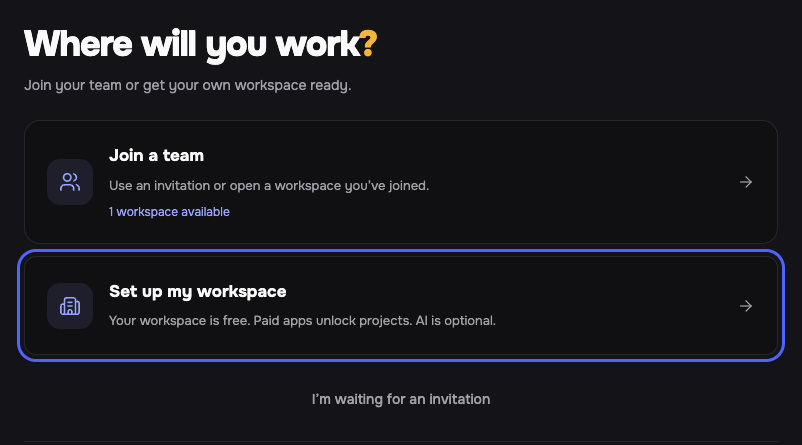
Choose where you'll work
After saving your profile, join the team that invited you or set up your own workspace — no more guessing which comes first.
Sign up → Profile → Your workspaceChoose Join a team or Set up my workspace; the page waits for you if you're expecting an invitation.
02Arcade
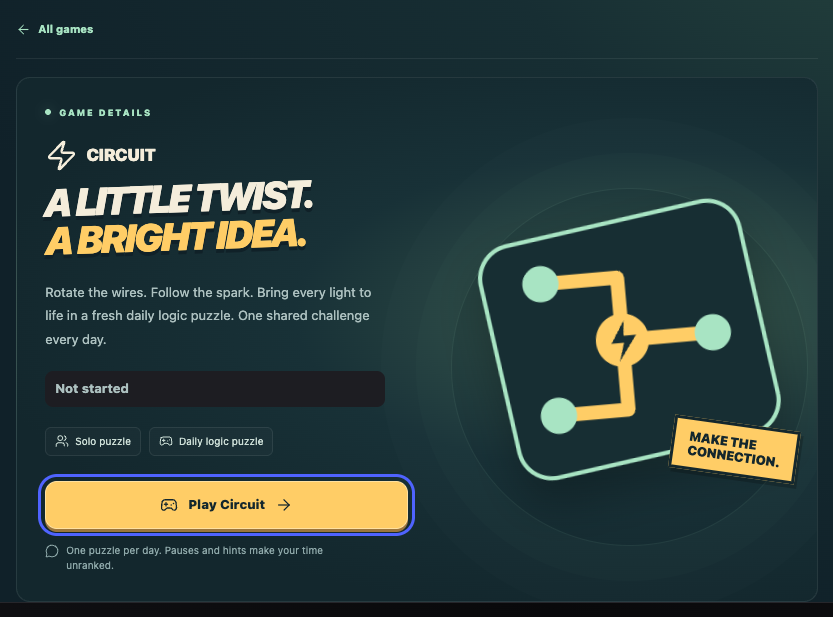
The arcade loads again
Circuit and Vault game pages open straight away instead of sitting on a loading message.
Arcade → Circuit (or Vault)Open the game card; Play Circuit starts today's puzzle, or View results opens a finished one.
Every change
Getting started
2What to expect
The workspace step appears after your profile is saved and stays available on the onboarding page until you open a workspace or start a project. Joining a team needs an invitation or an existing membership; your own workspace is free, and paid apps unlock projects.
- NewAfter saving your profile, choose whether to join your team or set up your own workspace before starting a project.
- ImprovedReturning from billing setup brings you back to the workspace step instead of the home page.
Arcade
1What to expect
Daily puzzle pages load once and stay open. A puzzle you already finished opens its results page directly, and a page that fails to load shows a retry instead of a spinner.
- FixedThe Circuit and Vault game pages open instead of staying on a loading message while reloading in the background.
Tickets and boards
1What to expect
Filters take status, category, priority, assignee, group and tag ids; an unrecognized value is reported rather than treated as a server fault.
- FixedTicket lists asked to filter by an invalid value report the problem instead of failing.
API keys
1What to expect
Project and workspace keys cannot carry member, settings-deletion, integration or key-management permissions, whether the key is new or edited. Existing keys keep working within your role.
- FixedCreating a project or workspace API key refuses the same governance permissions that editing one already refused.