

29 changes
Dashboards your team can arrange, with reports that stay connected
Build shared overviews, combine live board and sheet data, and link related work. This update also brings clearer ticket handling, chat feedback and recording controls.
- 10 new
- 12 improved
- 7 fixed
On this page10 sections
Highlights
01Customizable dashboards
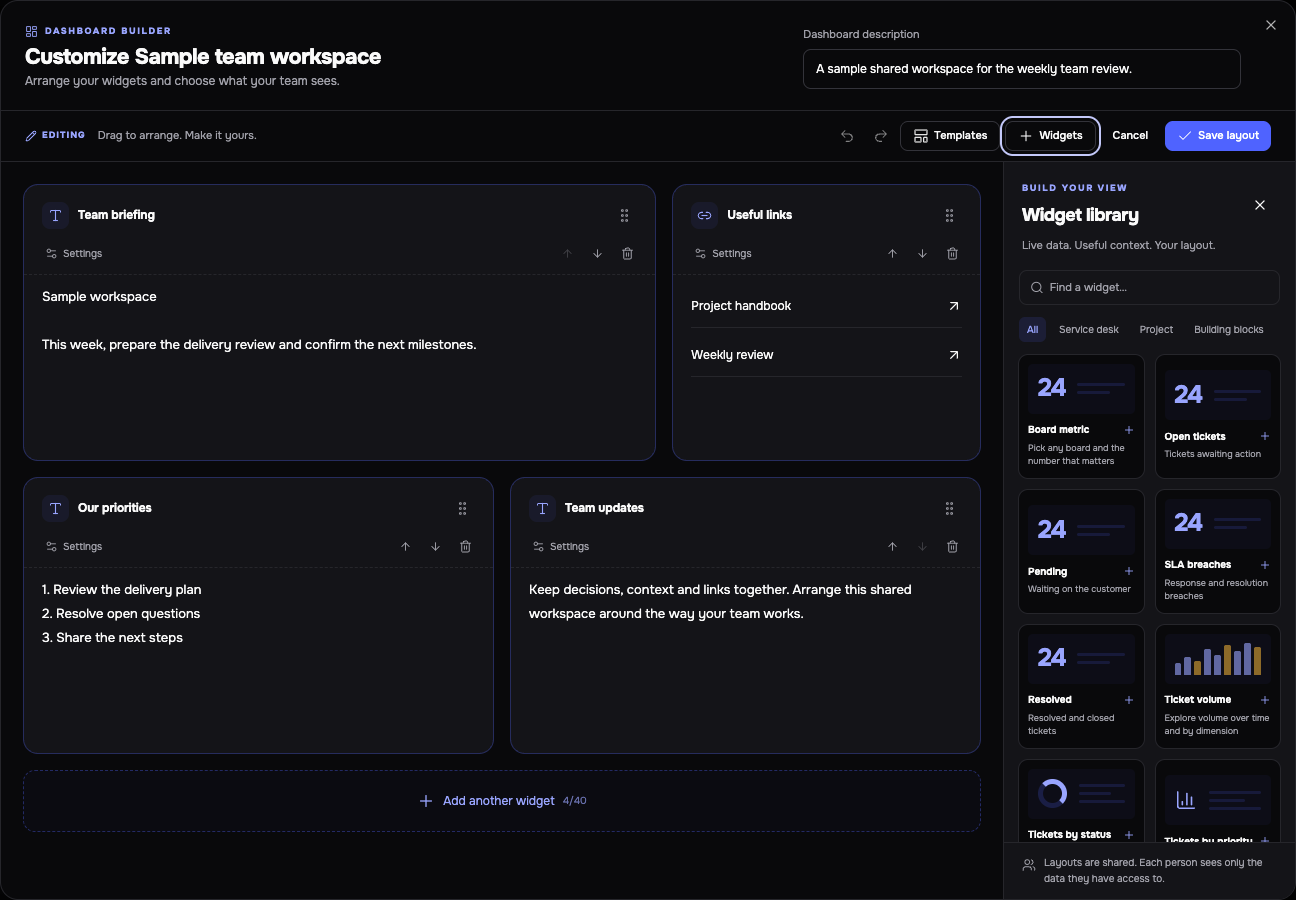
Arrange a workspace for your team
Combine useful widgets, briefings and links in a shared dashboard you can arrange yourself.
Project overview or Service Desk overview → CustomizeChoose Widgets in the dashboard builder to add to your layout, then save it for the project.
02Live reports
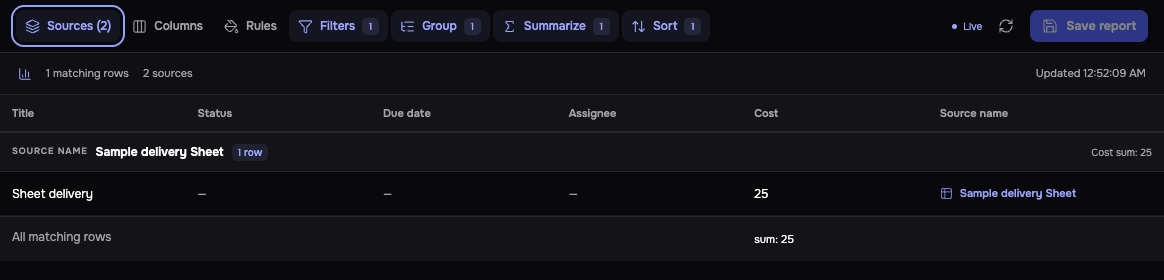
Bring boards and sheets into one live report
Filter, group and summarize work from several sources, with edits flowing back to the source.
Content → New → ReportChoose Sources to select boards and sheets, then configure columns and save the report.
03API keys
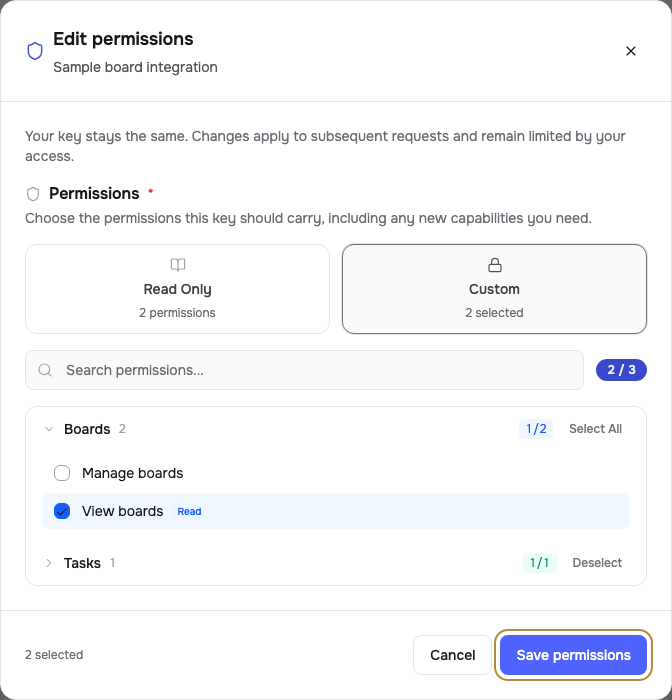
Add permissions without replacing your key
Give an existing API key access to new capabilities while keeping the same key.
Profile → API keys → Edit permissionsSelect the permissions you need, then choose Save permissions. Project and workspace key pages offer the same control for eligible keys.
Every change
Customizable dashboards
5- NewArrange Project and Service Desk overviews with metrics, charts, work lists, text and quick links.
- NewCreate additional dashboards from Content → New → Dashboard.
- ImprovedCustomize in a large modal with a fixed toolbar and separate scrolling for the canvas and widget library.
- ImprovedStart from a template, drag or use the keyboard to reorder widgets, adjust sizes, and undo or redo before saving.
- FixedConcurrent edits and failed saves preserve your draft, while duplicate member names display correctly in the Team widget.
Live reports
4- NewCombine board items and sheet rows in one saved report with selectable columns, filters, grouping and summaries.
- NewEdit supported values in the report and see updates from other sessions without rebuilding the report.
- NewApply conditional formatting rules to make important values easier to spot.
- ImprovedSearch report sources and configuration choices, keep selected columns hidden, and follow current source titles.
Related work
3- NewLink related board items and sheet rows using searchable linking controls.
- ImprovedOpen accessible linked work directly and see unavailable references when you lack target access.
- FixedChanging relation targets and importing templates preserve access boundaries and avoid carrying stale source references.
Tickets and boards
4- ImprovedCreate tickets with a simpler intake form and edit requester details from the ticket panel.
- ImprovedUse consistent board and ticket interactions, restored task views and clearer field presentation.
- FixedUnread indicators update as you view work, and activity details display values more reliably.
- ImprovedGet clearer visual feedback while AI suggests a ticket title.
Chat
1- NewSee read receipts and animated typing indicators across supported chat conversations.
Account access and public pages
6- ImprovedExplore redesigned product, solution, comparison and pricing pages with clearer early-access information.
- NewReview and accept versioned legal terms when required for your account.
- ImprovedAccess requests include abuse protection and clearer verification feedback.
- FixedAccount error pages, usage feedback and attachment access behave more consistently.
- ImprovedUse a consistent sign-in and add-account experience, with clearer onboarding steps and setup feedback.
- ImprovedFind clearer product descriptions on the public products page.
Pinboard Voice
3- ImprovedSet up meeting recording inside the recording workspace with clearer permission guidance.
- NewReview recordings with synchronized screen playback and improved workspace controls.
- FixedThe bundled notes editor loads its shared dependencies consistently.
API keys
1- NewAdd or remove permissions on an existing API key, including newly available board capabilities, without creating a replacement key.
Navigation and release updates
2- FixedKeep sidebar and compact navigation behavior consistent as the window changes size.
- FixedSee release highlights on Home after signing in.