

25 changes
Safer access and more reliable cleanup
Keep private content within its audience, finish two-factor sign-in after SSO, and retry interrupted file cleanup.
- 25 fixed
On this page8 sections
Highlights
01Sign-in and invitations
Finish protected SSO sign-in
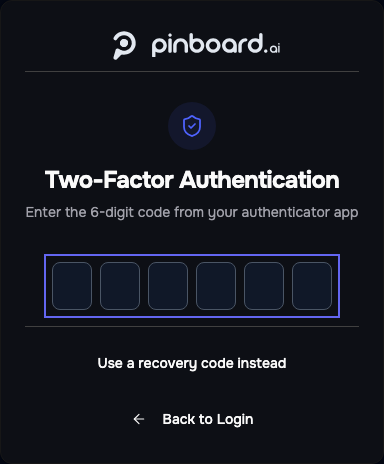
When your account requires another verification step, SSO now takes you to the two-factor screen before opening your session.
Sign in → SSO → Two-Factor AuthenticationEnter the code from your authenticator, or choose an available recovery method.
Every change
Live chat attachments
1What to expect
PDFs stay unavailable until scanning returns a clean result. Inconclusive scans remain pending, and infected files stay blocked.
- FixedKeep failed or unsupported PDF scans from releasing an attachment, and retry scan results that arrive before the upload finishes.
Billing
2What to expect
The configured payment grace window starts with the first failed-payment event. A successful payment restores access; a delayed older event cannot undo that recovery.
- FixedKeep the failed-payment grace cutoff stable when our payment processor advances a billing period or retries a payment.
- FixedRecover interrupted billing updates and notification delivery without repeating completed changes.
Sign-in and invitations
4What to expect
Your existing two-factor methods and workspace sign-in policy still apply. Invalid invitation links now show an error instead of a success message.
- FixedReject reused authenticator codes and stop sign-in safely when a session cannot be saved.
- FixedComplete required two-factor verification after SSO before a signed-in session is created.
- FixedSee a clear failure message when an invitation link is invalid or expired.
- FixedKeep restricted API credentials within their permitted context when using secondary sign-in and collaboration paths.
Notes and collaboration
5What to expect
Private notes remain limited to their selected audience. Read-only shares do not allow edits, and archived memberships no longer grant project note access.
- FixedDelete personal folders reliably while preserving folders owned by another person or project.
- FixedSee when a note has unsaved changes and retry saving without losing merged collaborator edits.
- FixedApply note audience and current membership checks consistently to note history, search, folders, AI tools, and live collaboration.
- FixedPrevent read-only collaborators from sending edits or retaining access after their membership is removed.
- FixedKeep images that are still referenced by a canvas when unused image cleanup runs.
Files and cleanup
3What to expect
New uploads are tied to their authorized destination. Permanent deletion can remain pending while storage cleanup retries; uncertain historical ownership is retained for reconciliation.
- FixedVerify uploaded file ownership before registering, indexing, or downloading project, task, and workboard attachments.
- FixedRetry failed storage deletions after records are removed and include meeting audio in cleanup.
- FixedStore new inbound email images privately and bind newly generated note previews to the correct note.
AI and automation
6What to expect
Workspace limits apply to brief generation, meeting summaries, and support escalation. A confirmed action can run once; repeated confirmation cannot create another copy.
- FixedKeep workspace bot prompts and conversation history within their authorized audience.
- FixedStop new agent actions when its access is revoked, and keep private file content out of answers for people without access.
- FixedPrevent repeated confirmations and support escalations from creating duplicate actions or tickets.
- FixedApply workspace budget checks and usage attribution to briefs, summaries, and support drafts.
- FixedRestrict automation requests to validated network destinations and safely render saved prompt templates.
- FixedRecord scheduled job outcomes using the restricted job role.
Account data and API access
4What to expect
Account-wide data export requires an interactive owner session. Workspace administrators can manage only tokens belonging to their workspace.
- FixedPrevent narrow API credentials from requesting an account-wide data export.
- FixedDownload account data with project dates, authored comments and correct file upload timestamps.
- FixedLimit administrator token lists and revocation to the correct workspace.
- FixedKeep member lookup within the caller’s accessible projects and apply shared request limits across changing record IDs.